
On this page0
A payroll action checklist is a tool that can help you stay on top of all the tasks that need to be completed to process payroll accurately and on time. The checklist helps to simplify payroll operations by providing a structured, step-by-step approach to ensure that you do not miss any important steps.
How to use the payroll checklist
1. Go to the Payroll module in PAC and open a payroll
2. Open the checklist by clicking on the Checklist icon on the right side of the progress bar

3. In the checklist you can see all of the payroll steps and tasks for each step. All actions in current or previous steps can be checked and unchecked. Actions in the upcoming steps are disabled and no actions can be made with them yet.
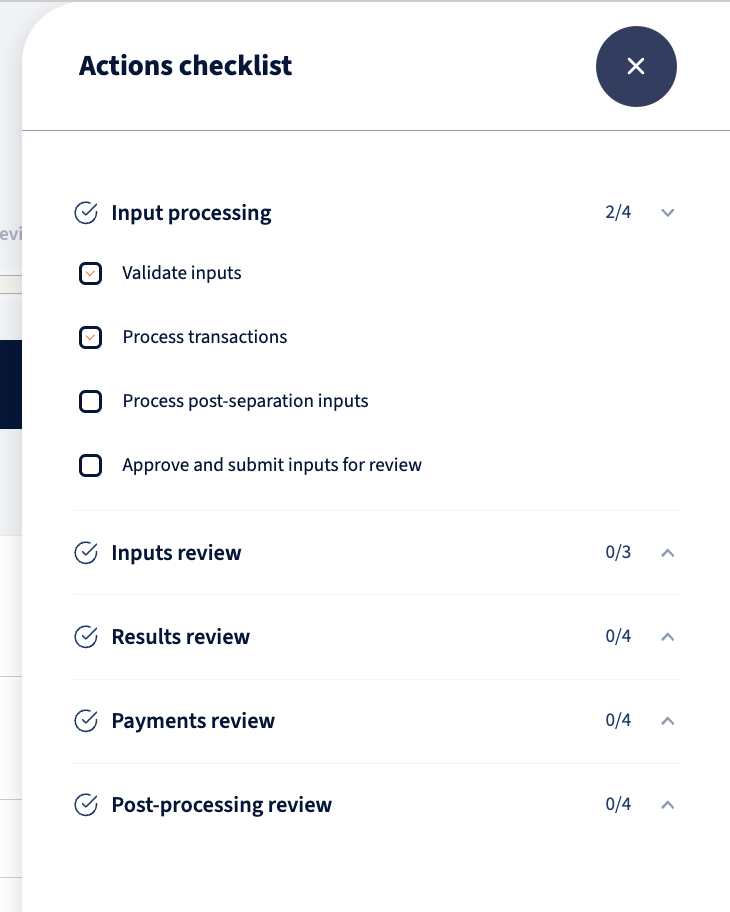
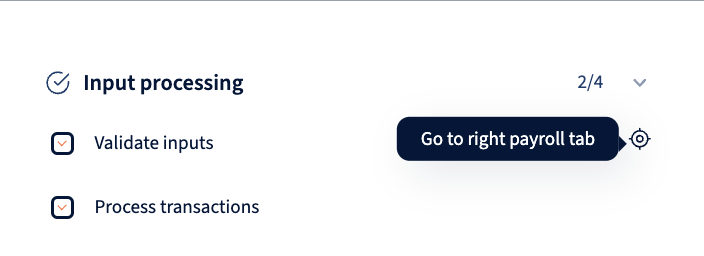
4. Behind each action there is a navigation link that takes you to the correct section in the payroll where the action can be made. To see the link, hover on the item and click on the icon on the end of the row.
Your response has been submitted — it helps us make these pages better.