






 Login
Login

Payslips
Log in to ESS and navigate to the Payslips module.
Viewing payslips
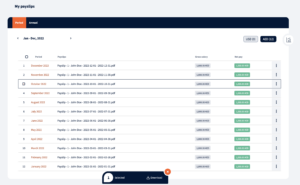
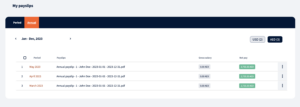
The Payslips module includes your payslips data. From the payslips module it is possible to access, view, and download individual payroll payslips.
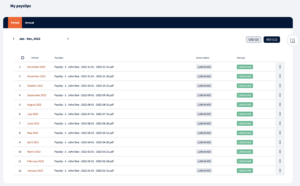
By default current year payslips are displayed.
By clicking on the payslip row it is possible to view payslip details
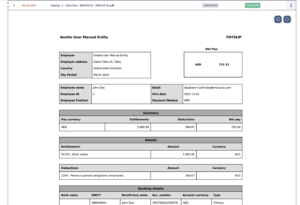
The payslip file can be printed out or downloaded as a pdf file by clicking on the action menu.
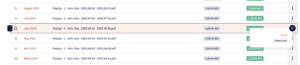
Bulk actions
Additionally, if there is a need to download multiple payslips this can be done by checking the checkbox at the top of the table
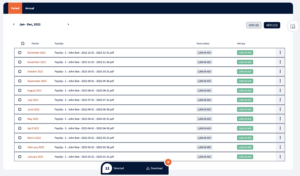
or by clicking on the checkbox on a specific payslip row and to pick some specific payslips.
Multi-currency payslips
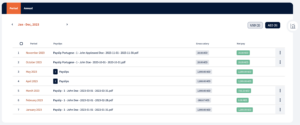
When there are multiple currencies used for payslips these will be separated into different tabs.
To switch between currencies just click on a corresponding currency label.

Depending on the currency corresponding currency payslips will be displayed in the table.
Salary evolution graph
By clicking on the right side icon salary evolution graph can be viewed. Graph shows gross and net pay and how employees’ salaries have changed in a year.
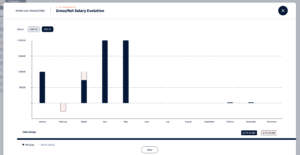
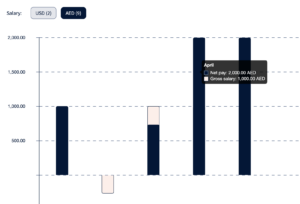
By hovering on a specific column, specific month’s details can be viewed.
Annual payslips
If annual payslips are set up they will appear in a separate tab so that users can see period and annual payslips separately.
Annual payslips can have multiple currencies as well, to switch between currencies the user has to click on a corresponding currency label.

We’re glad. Tell us how this page helped.

We’re sorry. Can you tell us what didn’t work for you?
Newsletter
Simplifying employment tasks worldwide.
Let us help you make sure you’re on the right track. Join 15,000+ subscribers and receive exclusive tips and resources.