
Notification Center Documents Introduction to PAC Calendar
Admin User Manual: Configuration and Proof Submission Audit
NZ Inland Revenue – Integration: Employment information & Payday filing Understanding and Managing NAERSA in HRBlizz Pay Elements Configuration Pay Elements Import Pay Elements with balance imports (Loans & Benefits) Loans Upload Payroll processing Standardized Payroll Reports Payroll validations and anomaly detection Off-cycle Audit Trail Report Description Payroll Action Checklist One-time Import & Template creation Inputs processing Input review Result review Payments review Post-processing Closing and opening the period
Reviewer view – all the timesheets that subordinates of this employee submit will come to Reviewer Approvals view.

Timesheets are filtered into three different tabs in Reviewer view:
- Submitted – contains all the submitted timesheets
- Approved and Rejected – once reviewer takes a look at timesheet request and approves or rejects it timesheet will move to correct tab.

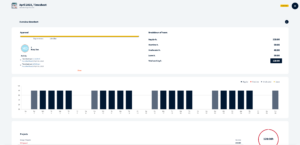
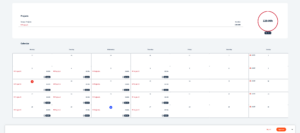
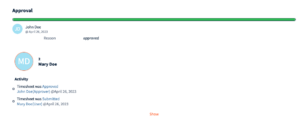
Reviewer can see timesheet details like who is employee who submitted it, when was timesheet submitted and other activity related to this timesheet, breakdown of hours and month view similar to employees view.
After checking timesheet details reviewer can reject or approve it, after which timesheet status will be updated and moved to correct tab.
Was this page helpful?
Thanks for your feedback.
Your response has been submitted — it helps us make these pages better.