
On this page0
Bulk Loans Import in PAC
Users now have the ability to upload loans from Payroll view in draft status.
New Loans Selection for import:
Navigate to Payroll -> Input -> “Select Payroll in draft status” -> Import
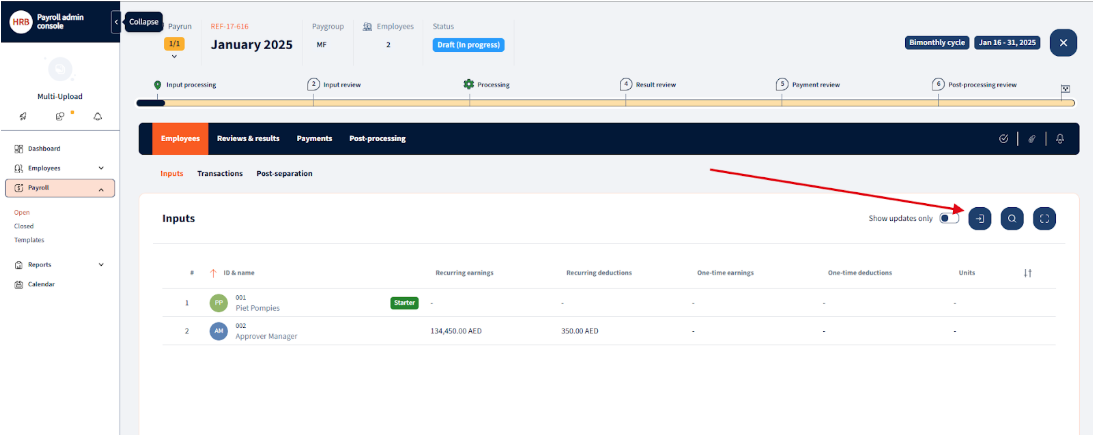
Selecting Loans upload: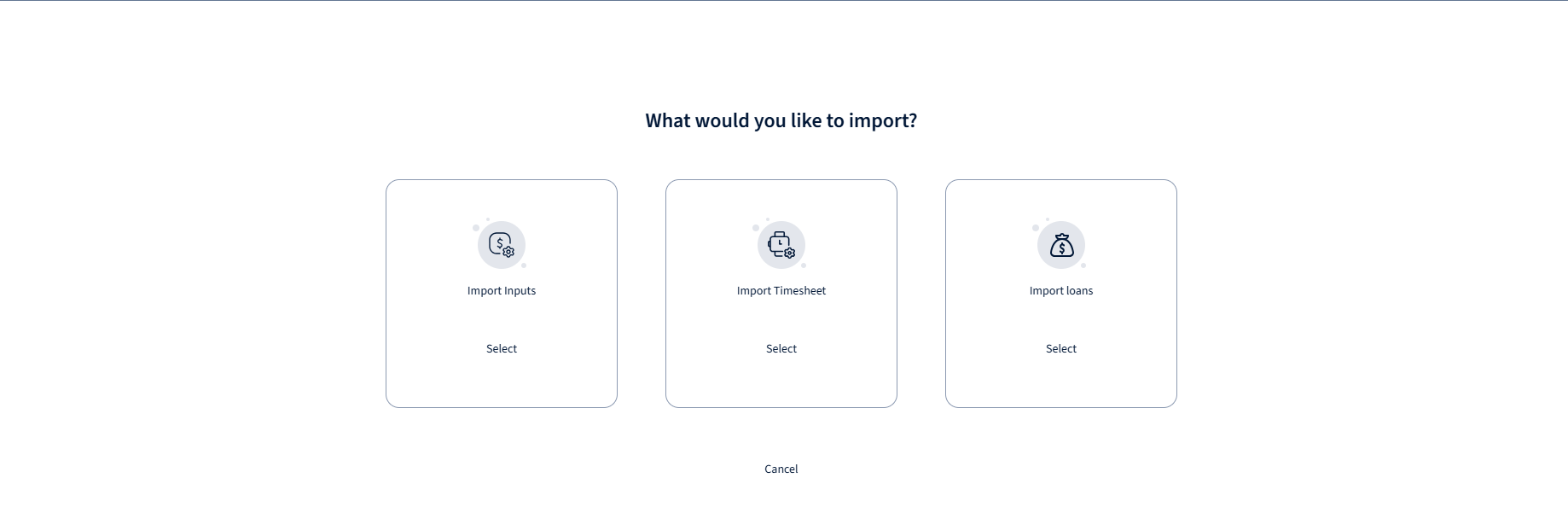
Mapping of loan fields:
-
Employee ID
-
Loan Type Code
-
Loan Type Code Account
-
Total (Total Value of Loan)
-
Start date
-
Annual Interest rate
-
Length in Months
-
Payment ammount
-
Paid periods
-
Balance
-
Currency
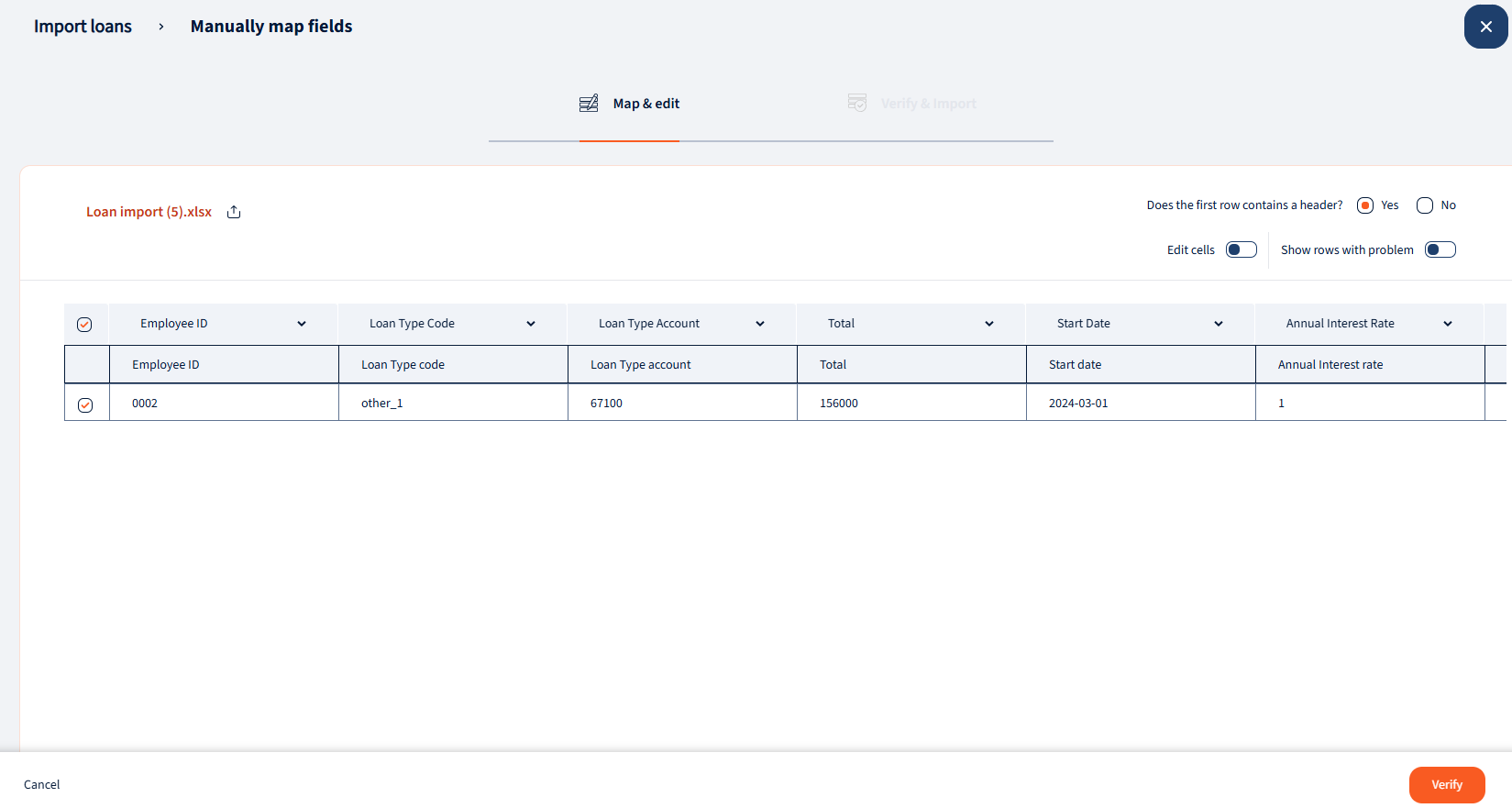
Once all fields are mapped, user can verify and upload loans.
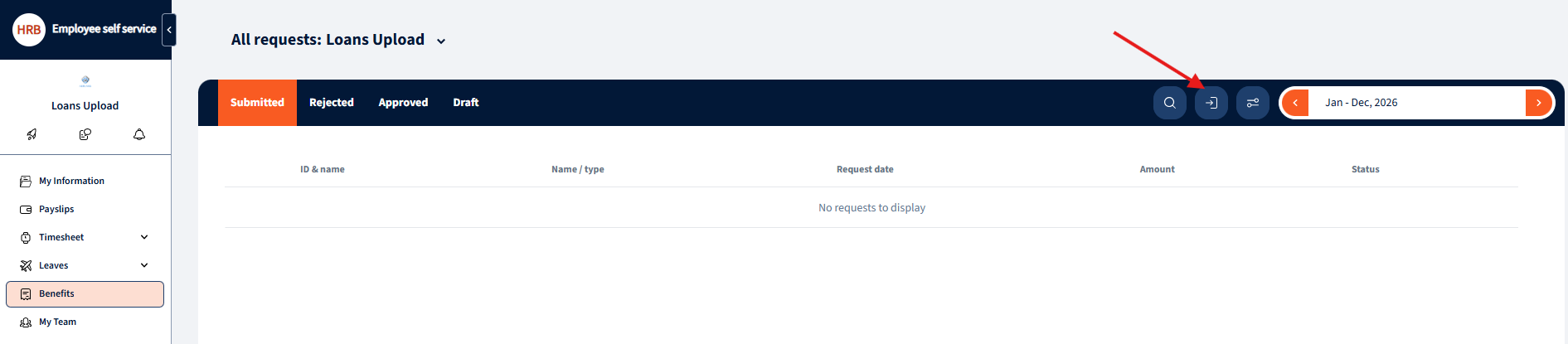
ESS managers also have the ability to process imports for employee loans:
Was this page helpful?
Thanks for your feedback.
Your response has been submitted — it helps us make these pages better.