






 Login
Login

Mandatory Paygroup – Employee Management
The HRB and PAC modules have been enhanced to enforce mandatory Pay Group assignment across all employee records. This update strengthens payroll governance, improves data integrity, and ensures consistent processing across workflows. The changes introduce system validations, user notifications, and expanded functionality to streamline Pay Group management at both individual and bulk levels, while preventing incomplete or non-compliant employee records from progressing through payroll processes. Users are also able to add Pay Group column from column management in employee listing
Employee Creation:
-
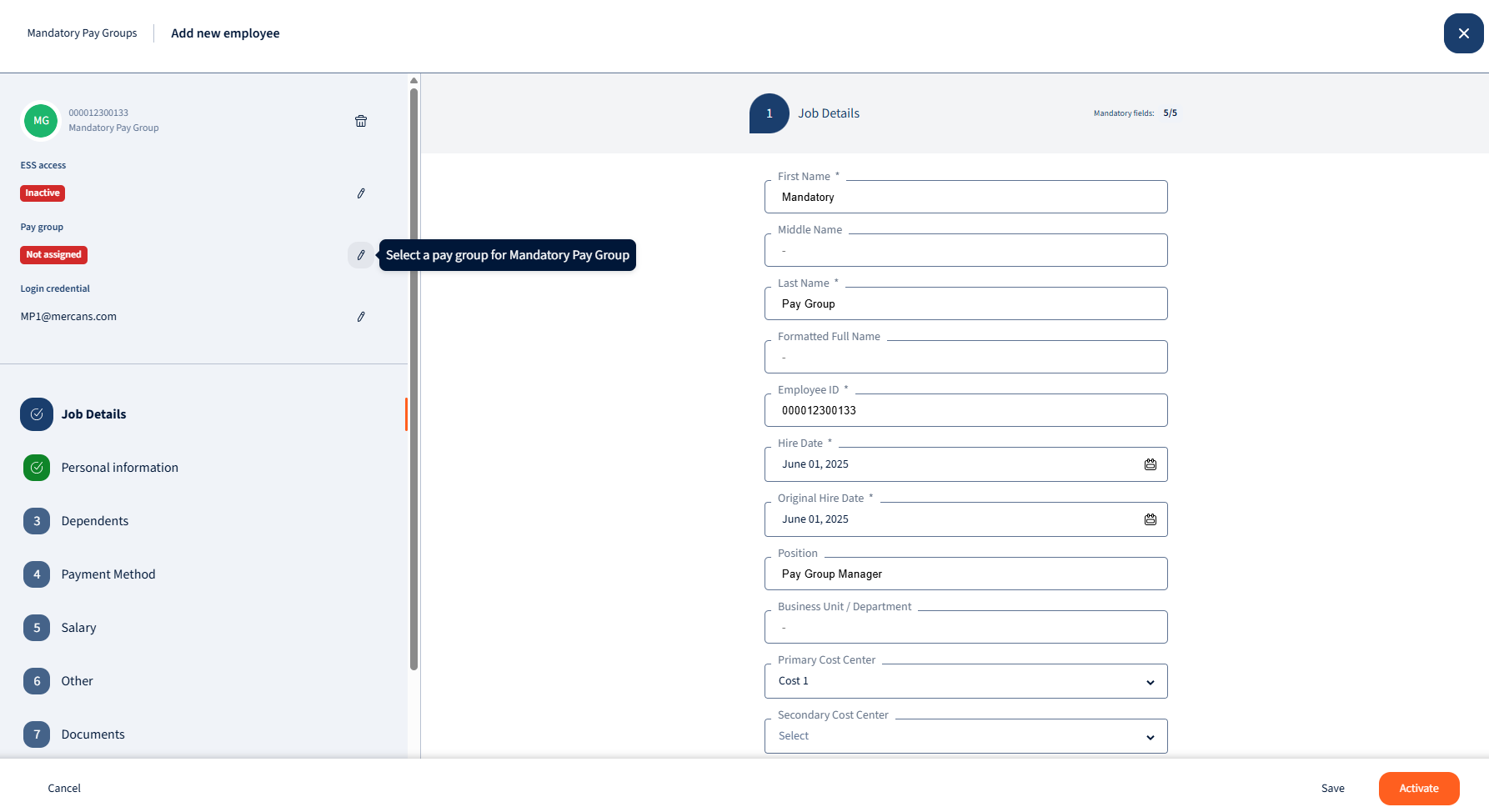
When users create new employees, user will be prompted to assign a Pay Group to the employee before employee activation:
Employee edit:
-
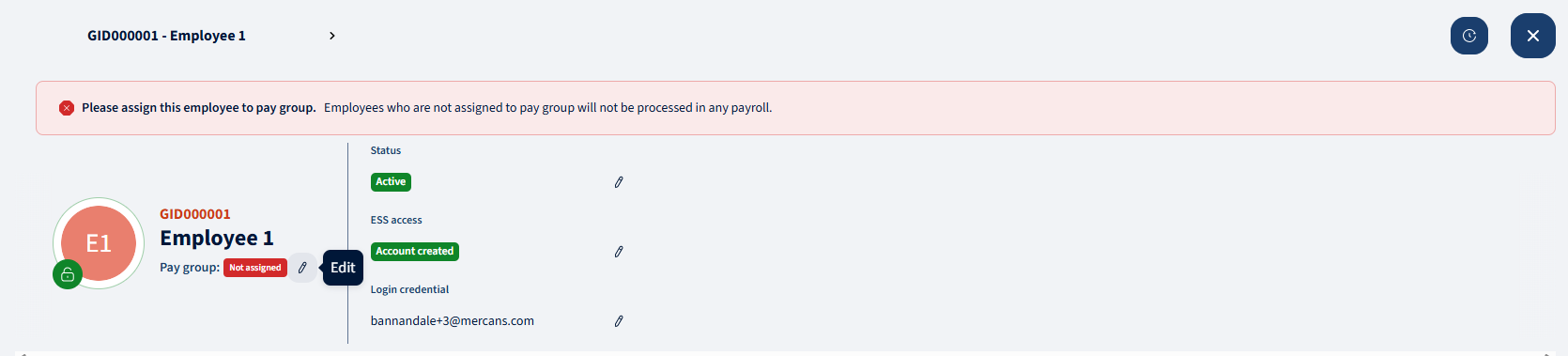
Warning message pop-up will apear if employee is not linked to pay group
-
User can assign pay group by clicking on the pencil icon
Employee Listing:
-
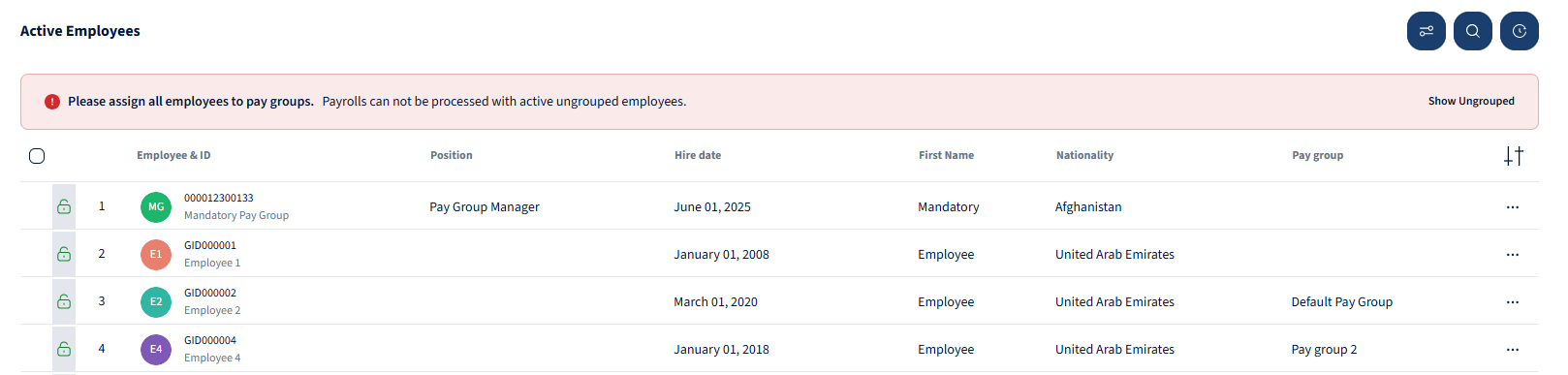
Warning message pop-up will apear when there are un-linked employees
Bulk Assignment of Pay Groups:
-
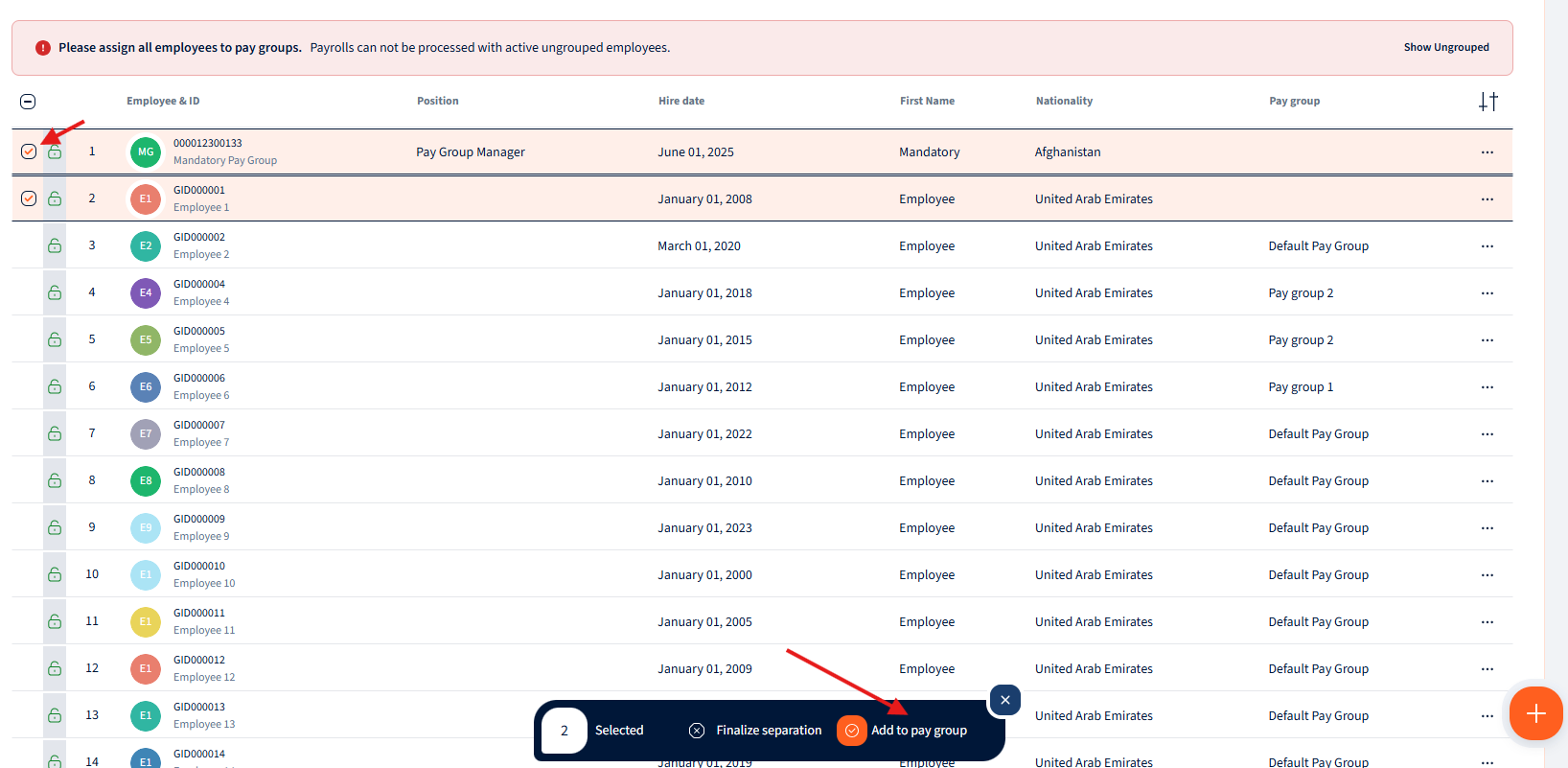
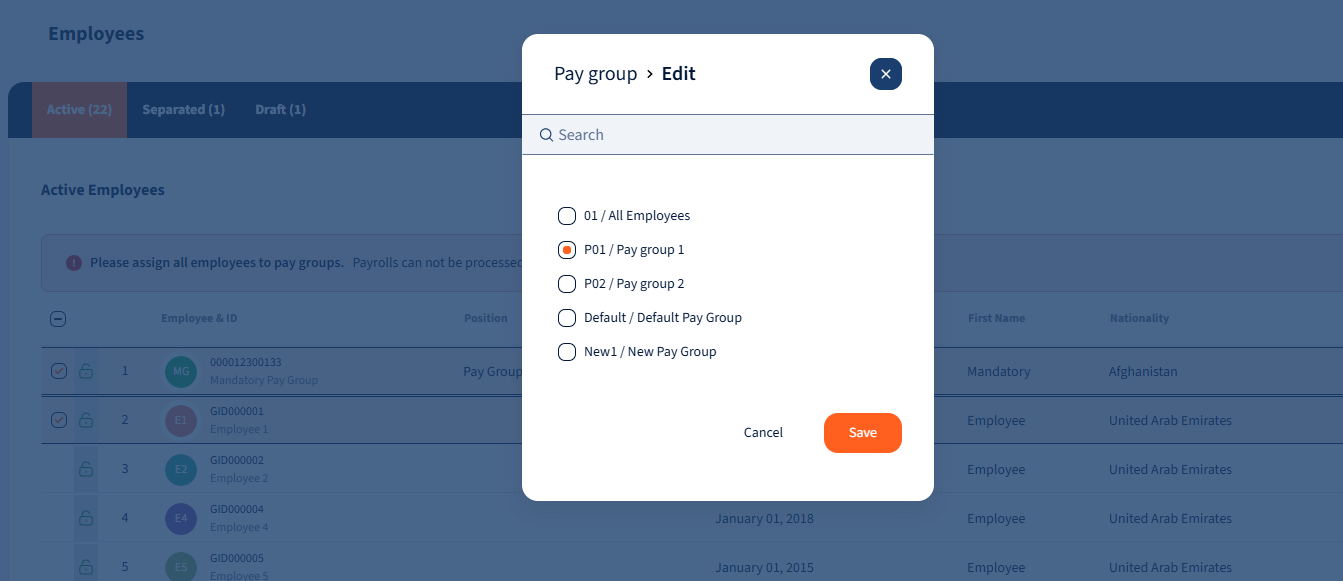
User are now able to assign Pay Groups at bulk
-
Employees can be selected from the listing checkbox to the left of the employee
-
“Add to pay group” button allows to assign employees at bulk
-
Once assigned, user can click on “Save” and the warning message will disapear
-
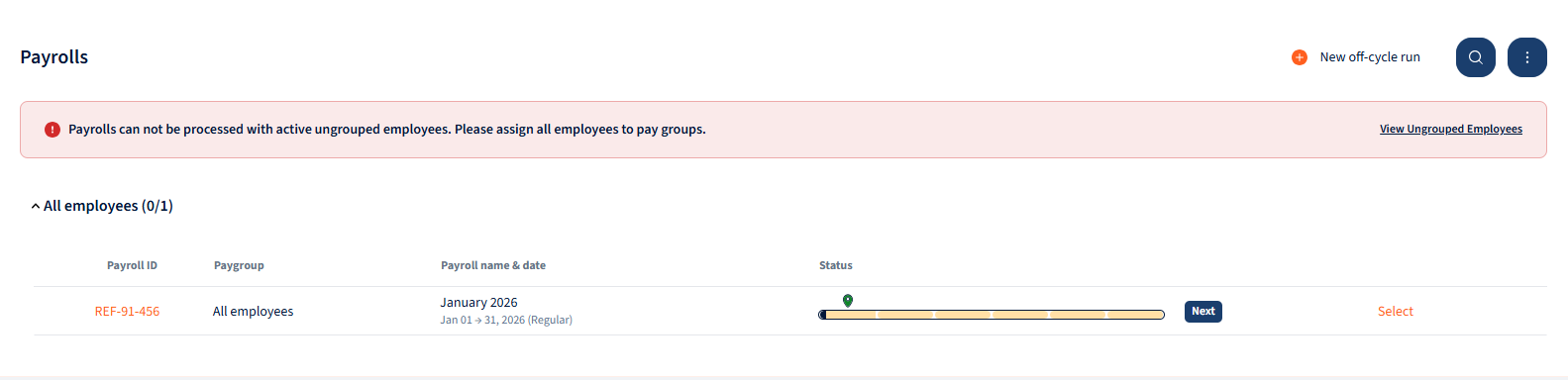
Payroll warning message:
-
User will be notified before opening payroll, that some employees are still unassigned
-
User can click on “View Ungrouped Employee” to be taken to bulk assignment action in employee listing screen

We’re glad. Tell us how this page helped.

We’re sorry. Can you tell us what didn’t work for you?
Newsletter
Simplifying employment tasks worldwide.
Let us help you make sure you’re on the right track. Join 15,000+ subscribers and receive exclusive tips and resources.