






 Login
Login Home → Learn & Support →

Loans Upload
Last updated on January 8, 2026
Bulk Loans Import in PAC
Users now have the ability to upload loans from Payroll view in draft status.
New Loans Selection for import:
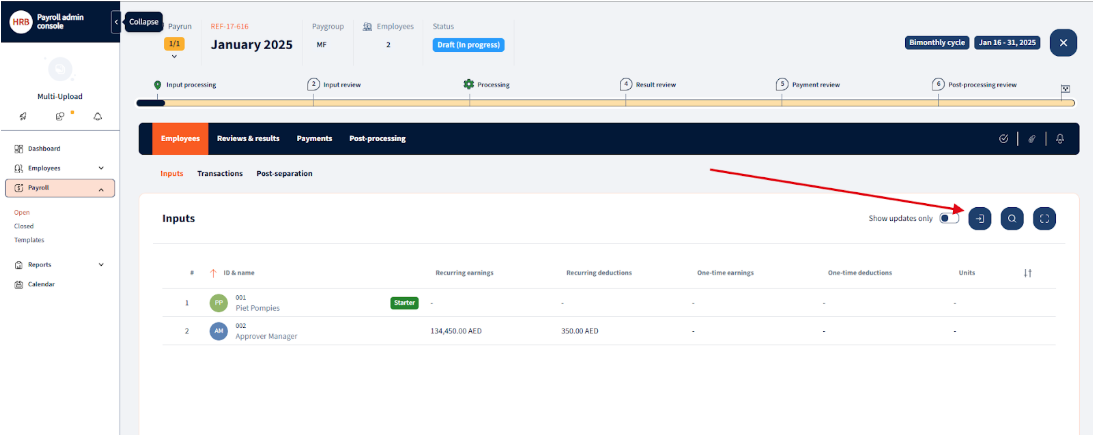
Navigate to Payroll -> Input -> “Select Payroll in draft status” -> Import
Selecting Loans upload: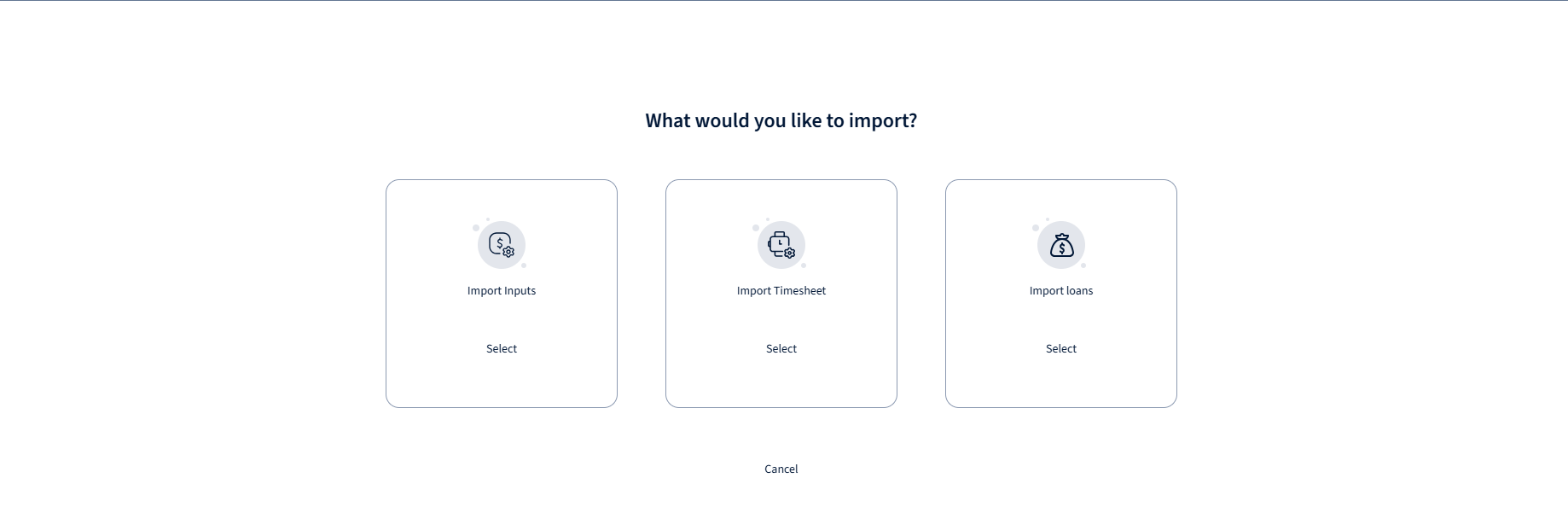
Mapping of loan fields:
-
Employee ID
-
Loan Type Code
-
Loan Type Code Account
-
Total (Total Value of Loan)
-
Start date
-
Annual Interest rate
-
Length in Months
-
Payment ammount
-
Paid periods
-
Balance
-
Currency
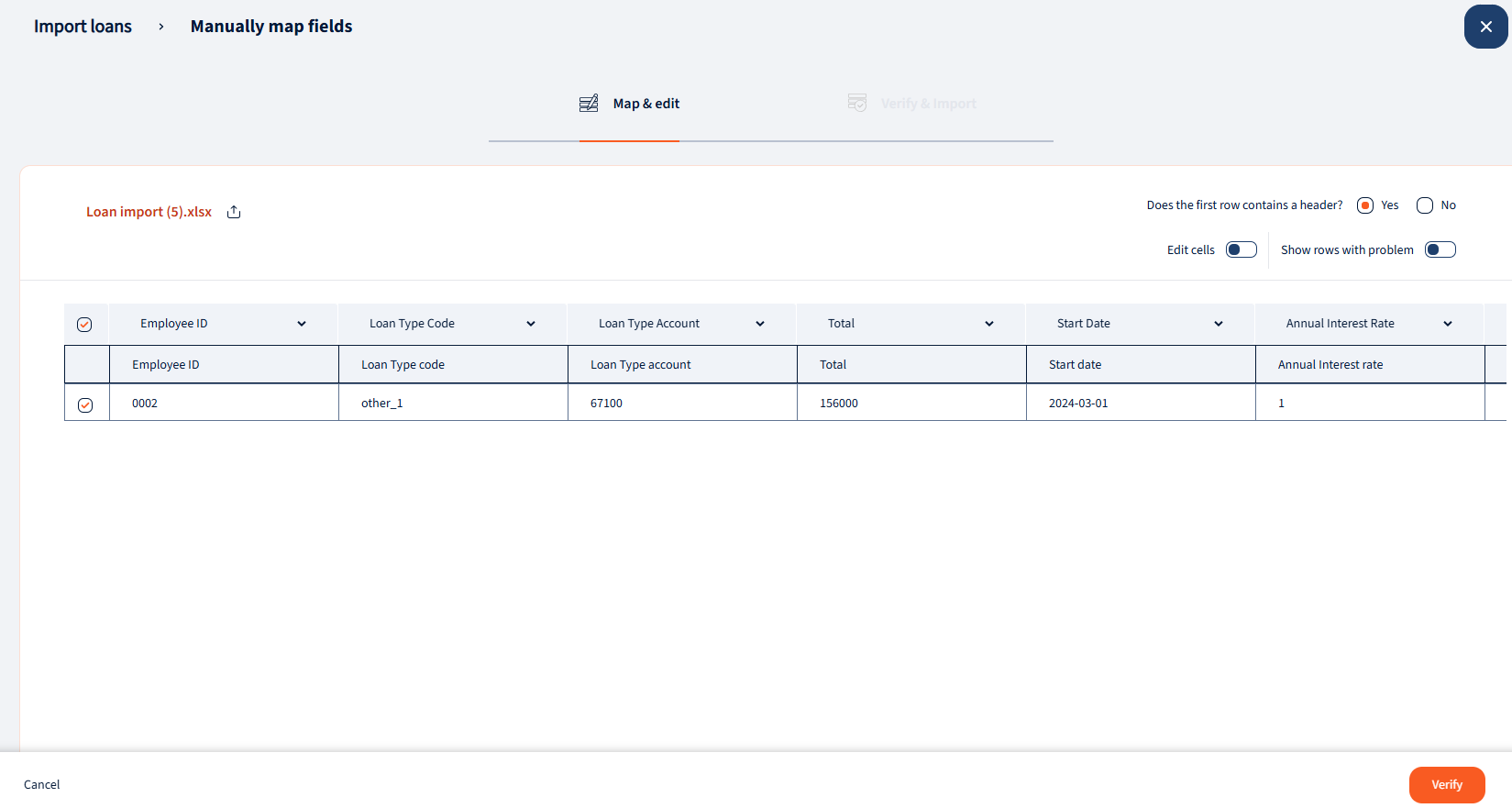
Once all fields are mapped, user can verify and upload loans.
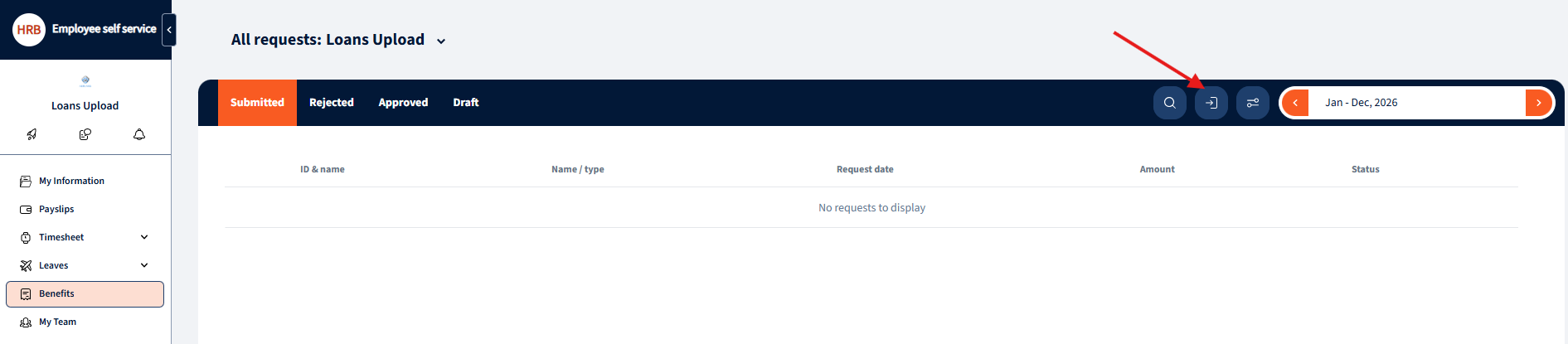
ESS managers also have the ability to process imports for employee loans:
Was this page helpful?

We’re glad. Tell us how this page helped.

We’re sorry. Can you tell us what didn’t work for you?
Newsletter
Simplifying employment tasks worldwide.
Let us help you make sure you’re on the right track. Join 15,000+ subscribers and receive exclusive tips and resources.