






 Login
Login

Employee History Audit Log
Last updated on February 10, 2026
Users will now be able to view the history of employee changes made.
Users will also be able to export history to the following formats: XLS, CSV and PDF.
The following information is present in the history view:
- Employee ID, Name & Surname
- Actor (Individual who made the change)
- Subject (Field, pay element, etc.)
- Type (Field type)
- HR Field
- Pay element types such as earnings, deductions, and more
- Old Value (If a change was made, previous value)
- New Value (Newly updated value)
- Change Date (Date that the change occurred)
- Source (Where the change happened)
Employee Listing
Navigate to: Employees → Employees → Click “History” button
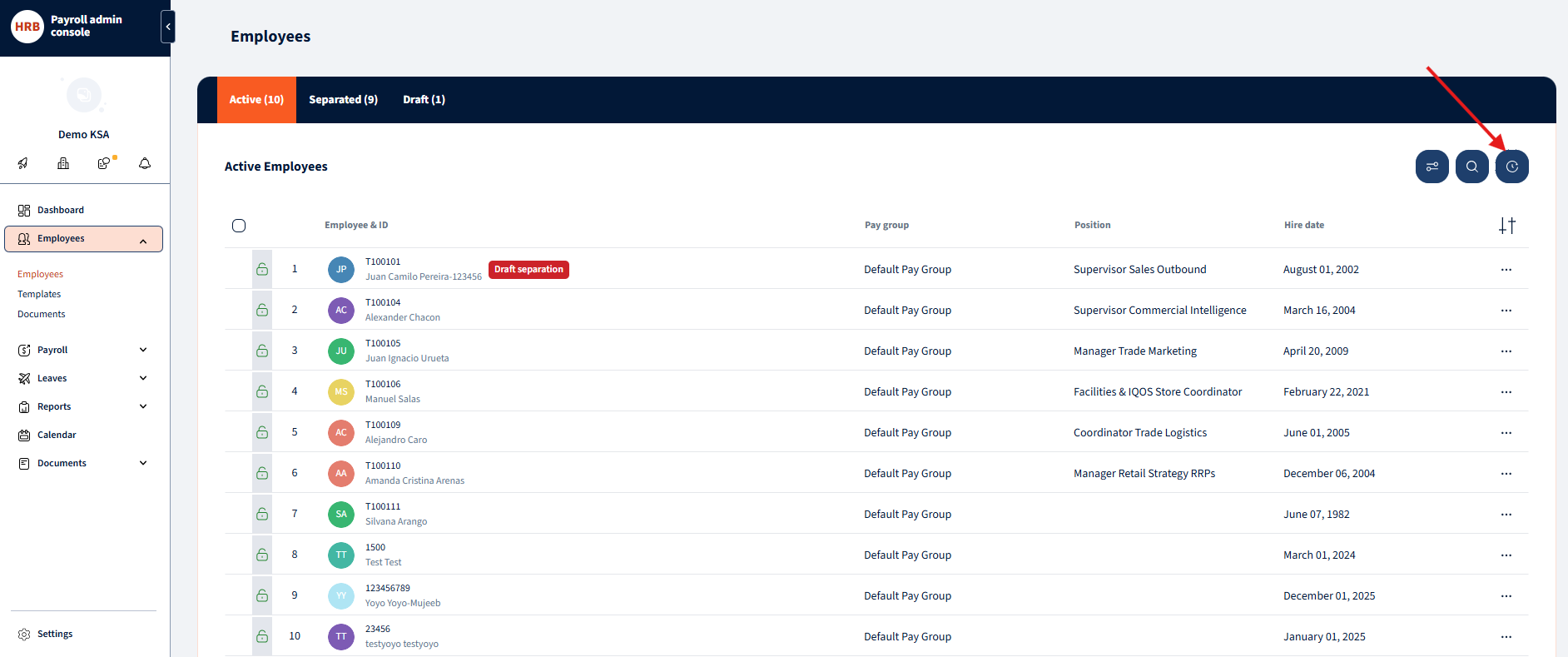
Employee Listing History Opened:
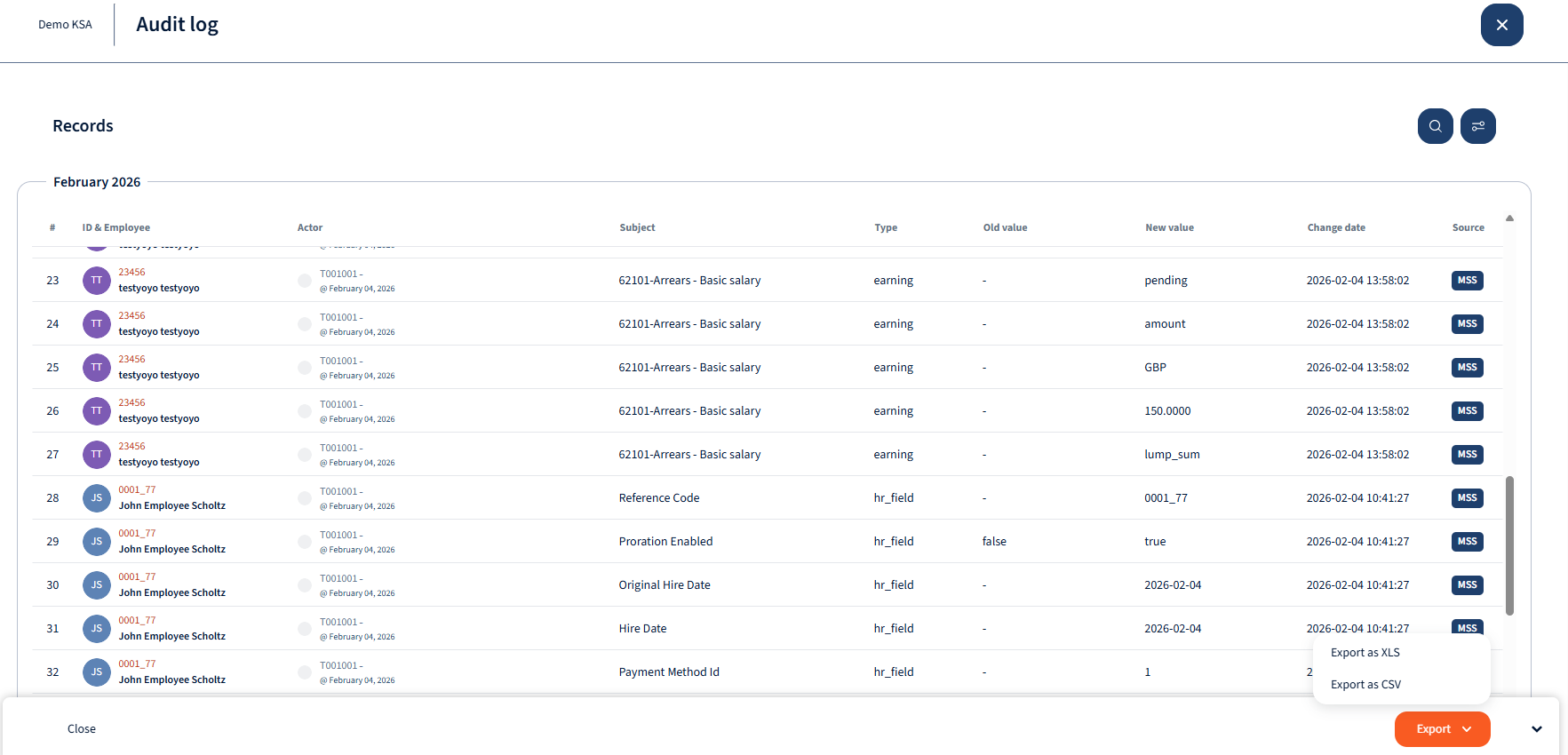
Employee Listing Filtering:
Filtering Options:
- Pay Groups (Users are able to specify for which pay groups to apply the filtering)
- Field Type (Users are able to select from various field types including HR fields, Earnings, Deductions, etc)
- Date Range (System will by default filter the date range accross 2 years from the current date, users can define this)
- Subject Employee (User can select specific or mulitple employees)
- ESS Status (Users are able to filter according to various ESS Statuses)
- Actor Employee (User are able to specify filtering based on who made the changes)

Specific Employee History:
Navigate to Employees-> Employees ->”Select Employee”-> “Click history button”

Specific Employee history opened:
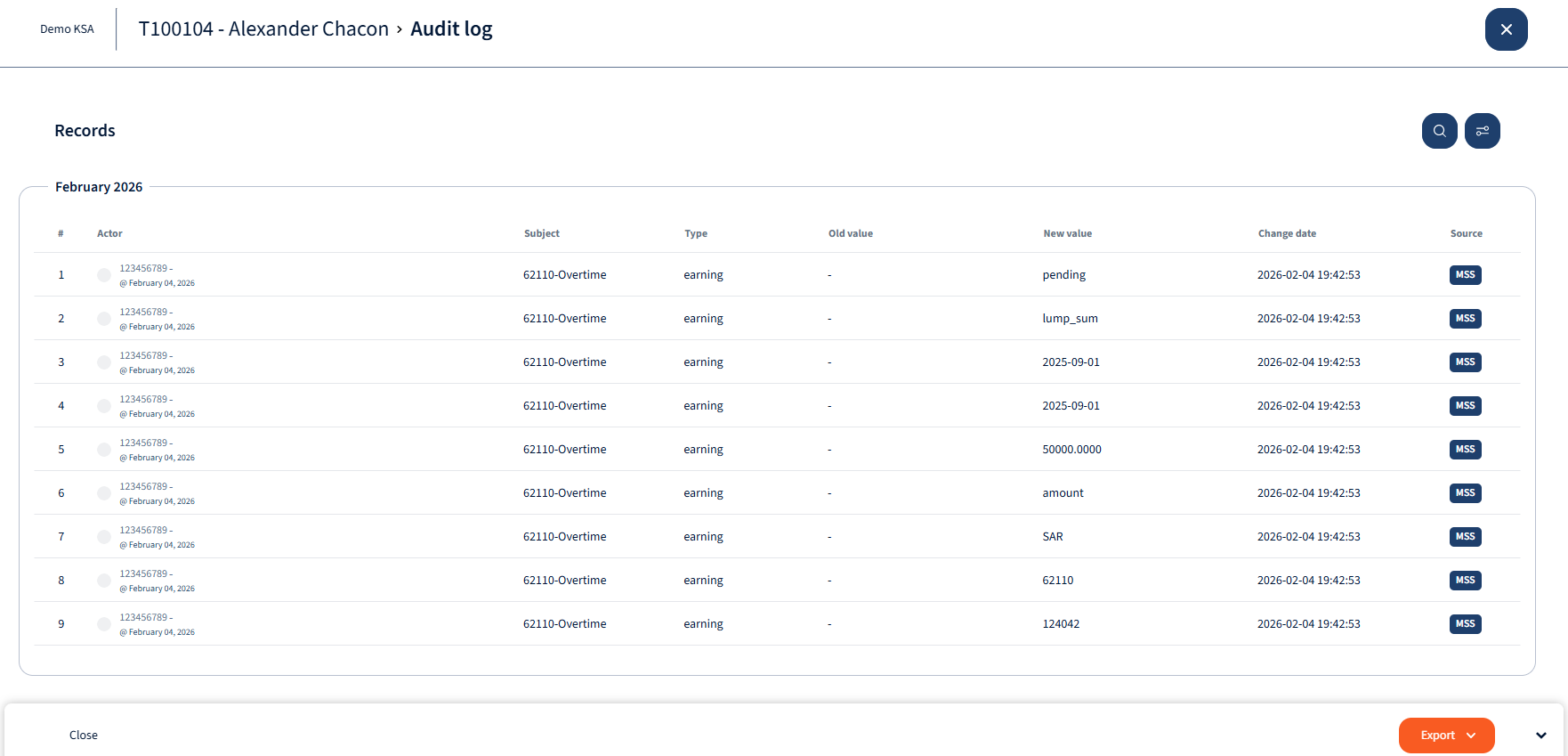
Employee Listing Filtering:
Filtering Options:
- Source ( Source will indicate where the change was made from)
- Pay Groups (Users are able to specify for which pay groups to apply the filtering)
- Field Type (Users are able to select from various field types including HR fields, Earnings, Deductions, etc)
- Date Range (System will by default filter the date range accross 2 years from the current date, users can define this)
- Actor Employee (User are able to specify filtering based on who made the changes)

Was this page helpful?

We’re glad. Tell us how this page helped.

We’re sorry. Can you tell us what didn’t work for you?
Newsletter
Simplifying employment tasks worldwide.
Let us help you make sure you’re on the right track. Join 15,000+ subscribers and receive exclusive tips and resources.