






 Login
Login Home → Learn & Support → Settings → Payroll settings →

Pay Elements Configuration
Last updated on December 15, 2025
Pay Elements Overview
Configuration
- All Entity Pay elements that are marked active will appear
- Only pay elements configured for the user’s assigned country are visible.
- Cross-country pay elements are not displayed.
Tabs and Default View
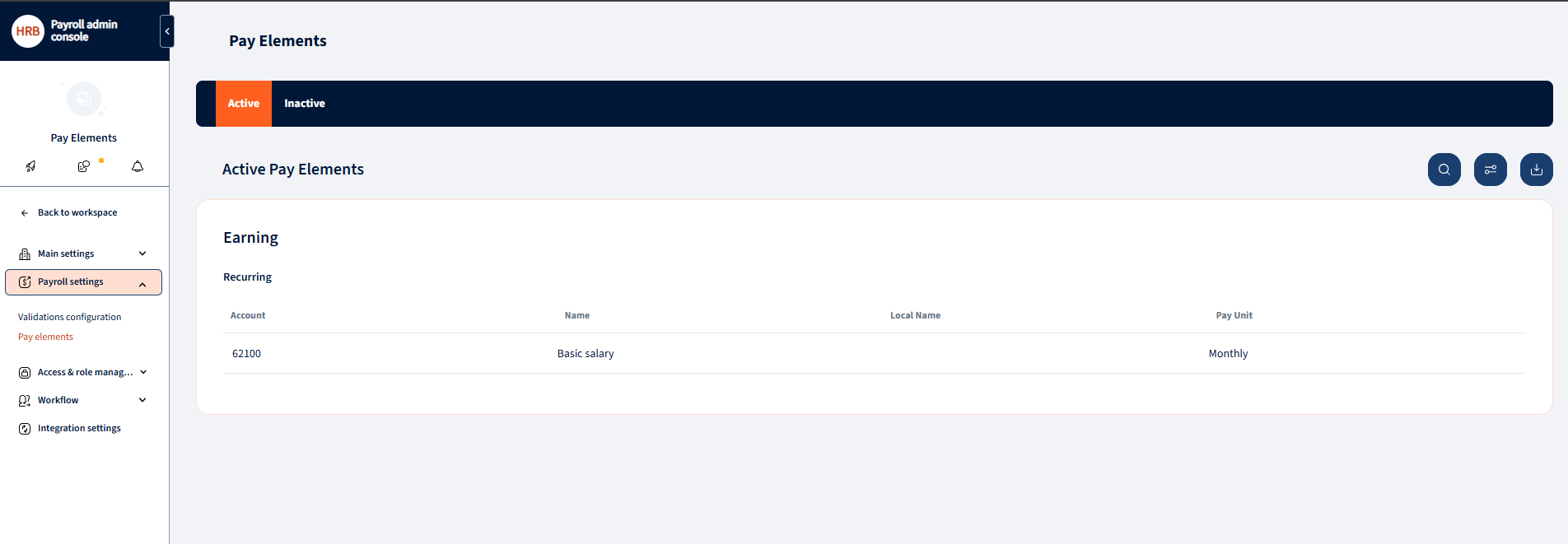
The Pay Elements screen contains two tabs:
- Active (default view)
- Inactive
Pay elements are automatically categorized into these tabs based on their current status.
Log in to PAC.
Navigate to:
Settings → Payroll Settings → Pay Elements
Viewing Pay Elements
List View
In the list view, users can:
- See all pay elements marked as Visible
- Identify the status (Active or Inactive)
- Search for pay elements using the search field
- Download the full list as an Excel file
Searching Pay Elements
- Use the Search field at the top of the list.
- The list filters dynamically based on the entered keyword.
Downloading Pay Elements
- Click Download to export the pay elements list.
- The file is downloaded in Excel format and includes both active and inactive pay elements.
Pay Element Details
Opening Pay Element Details
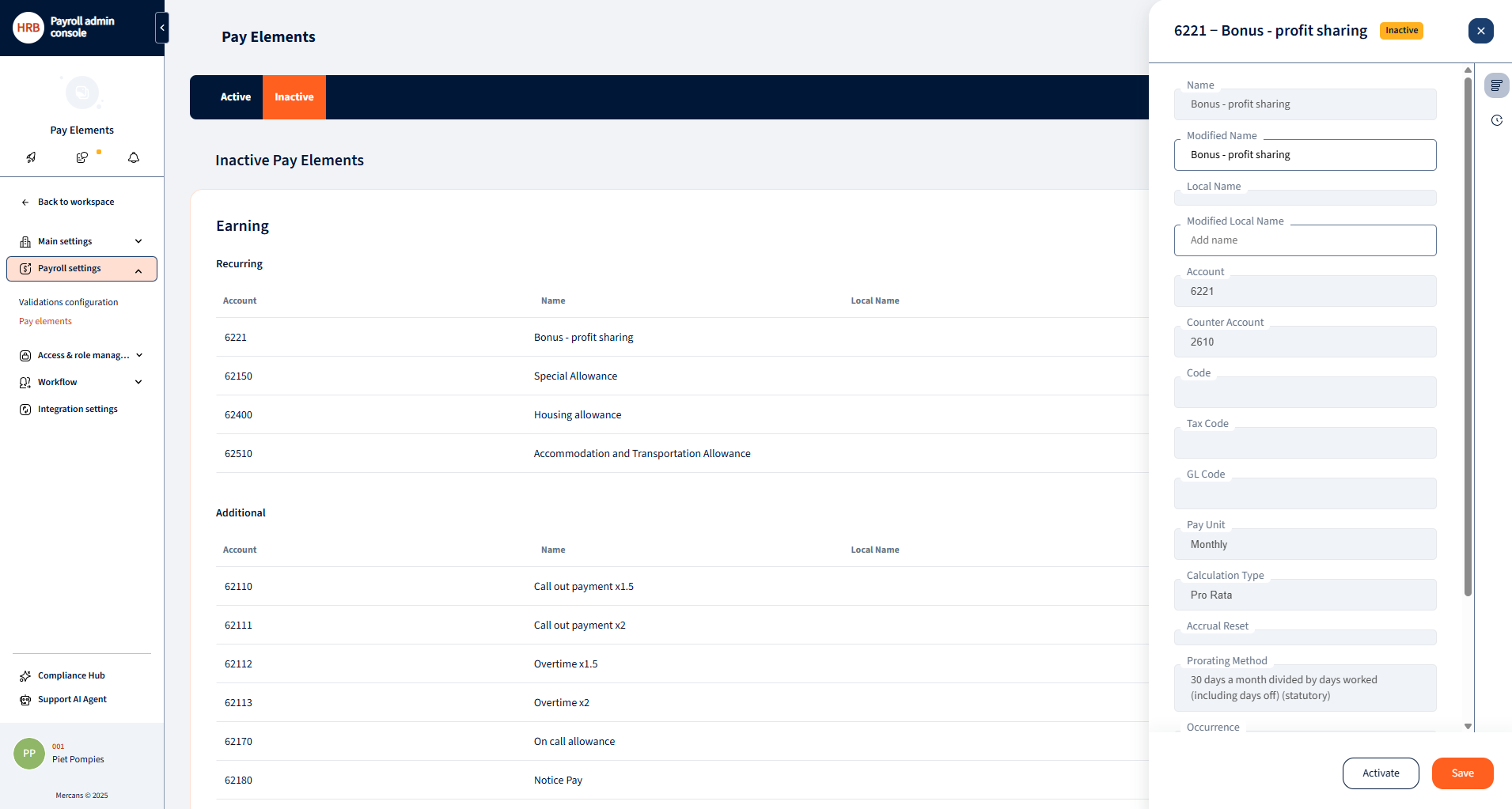
- Click on any Pay Element row to open the Pay Element Details pop-up.
Information Displayed
The Pay Element Details pop-up shows:
- Pay Element name
- Current status (Active/Inactive)
- Pay Element details
- Change logs (history of updates)
Editing Pay Elements
Renaming a Pay Element
- Click Rename in the Pay Element Details pop-up.
- Update the Pay Element title.
- Click Save to confirm the change.
Important restriction:
- Pay Elements that are already in use by at least one employee cannot be edited.


Activating and Deactivating Pay Elements
Activation
- Inactive pay elements can be activated from:
- The Inactive tab
- The Pay Element Details pop-up
- Click Activate to enable the pay element.
Deactivation
- Active pay elements can be deactivated from the Pay Element Details pop-up.
- Click Deactivate to disable the pay element.
Important restriction:
- Pay Elements that are in use by at least one employee cannot be deactivated.

Was this page helpful?

We’re glad. Tell us how this page helped.

We’re sorry. Can you tell us what didn’t work for you?
Newsletter
Simplifying employment tasks worldwide.
Let us help you make sure you’re on the right track. Join 15,000+ subscribers and receive exclusive tips and resources.